Create video illustrations from numerical experiments data with Paraview and Python 2
See updated note.
One of the common tasks in computer modeling is the visualization of a numerical experiment as a movie. Usually there is one data file per frame, and the goal is to create a frame-by-frame animation. If these files can be loaded and visualized in Paraview, it is easy to create the full video: load a file in Paraview with predefined parameters, create a screenshot, load the second file, etc. This process may be automated.
We will use the latest stable build of Paraview from the official site. Note: the latest version of Paraview has a strange error: it loses color while rendering. You may use the previous Paraview 4.1 without this bug.
Extract the tarball into the ~/bin/paraview folder. Run Paraview and prepare the scene as you like. Remember the name of the pipeline with the file you want to change every frame (in my case it is data). Save the state (File->Save State) in the folder with the data files you want to visualize, as state.pvsm.
Paraview with prepared state: 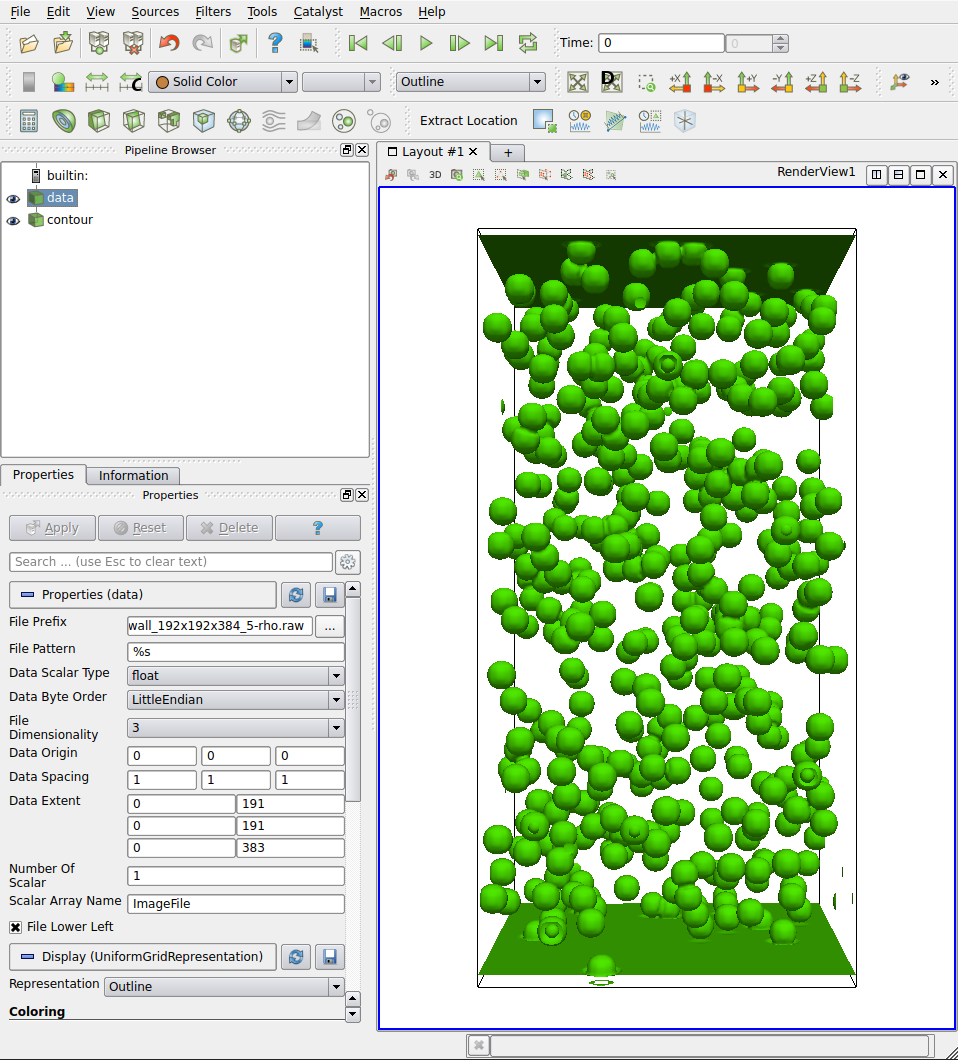
Now, for every file, we need to:
- change the pipeline
datafile for the frame - render it
- save the frame picture
It can be done with the following Python 2 script:
 1#!/usr/bin/env python
 2from sys import path
 3path.append("/home/bikulov/bin/paraview/lib/paraview-4.2/site-packages")
 4path.append("/home/bikulov/bin/paraview/lib/paraview-4.2/site-packages/vtk")
 5path.append("/home/bikulov/bin/paraview/lib/paraview-4.2")
 6
 7import glob, natsort, os
 8from paraview.simple import *
 9
10filenames = natsort.natsorted(glob.glob("*.raw"))
11
12servermanager.LoadState("state.pvsm")
13view = servermanager.GetRenderView()
14camera = view.GetActiveCamera()
15phase = FindSource('data')
16
17try:
18	os.makedirs("img")
19except:
20	pass
21
22imgNum = 0
23
24phase.FilePrefix = filenames[0]
25phase.FileNameChanged()
26view.WriteImage("img/"+str(imgNum).zfill(6)+".png","vtkPNGWriter",1)
27
28for file in filenames:
29    phase.FilePrefix = file
30    phase.FileNameChanged()
31    view.WriteImage("img/"+str(imgNum).zfill(6)+".png","vtkPNGWriter",1)
32    imgNum += 1
All images will be created in the img folder; crop them and build the video with mogrify and ffmpeg (you may need to replace ffmpeg with avconv in newer versions of Ubuntu).